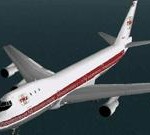
 FS98/FS2000 Trans World 747-131 (Red Arrow)
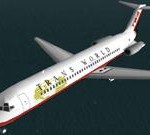 FS98 TWA DC9-34 current color scheme
 FS98 TWA DC9-51 1974 color scheme
 FS98/FS2000 B707-320B PAN AM
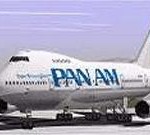 FS98 Boeing 747SP in Pan Am’s Billboard livery
 FS98/FS2000 Pan Am B747-421
 FS98/FS2000 DOUGLAS DC-4
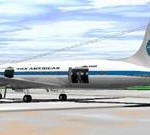 FS98/FS2000 DOUGLAS DC-6A Pan American Airways
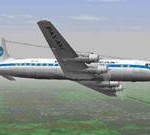 FS2000/FS98 DOUGLAS DC-7B
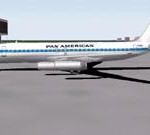 FS2000 DC-8-62 Pan American Airways
 Pan American World Airways Boeing Stratocruiser for FS2000– 1958 Light Blue color scheme
 FS98 Pan Am A300B4-203 ‘Clipper America’ (N202PA)
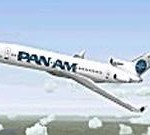 FS2000 Pan Am Clipper Pathfinder 727-200 Quiet Wing
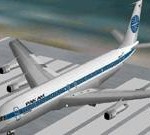 Pan Am Boeing 707-321B N414PA ca.1979 for FS98 and FS5
 FS2000 Pan Am Boeing 737-200 Clipper Berlin (Old Colors)
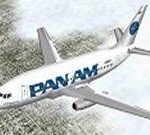 FS2000 Pan Am Boeing 737-200 Clipper Berlin (Billboard Scheme)
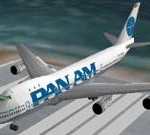 Pan Am Boeing 747-100 Clipper Juan T. Trippe v3N for FS2000
 FS98 Pan Am DC-10-30
 FS98/FS2000 Pan Am – BAe Jetstream 31
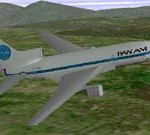 FS98 Pam Am L1011-500 TriStar


737 PILOT IN COMMAND
Battle of Britain II Wings of Victory
Beech D17 "Staggerwing"
CH Products
Commercial Level Simulations A300R
featured
FS2002 PRO/FS2004 Douglas C-133B Cargomaster
FS2002/FS2004 "Saudi Hawks" Display Team GMAX
FS2002/FS2004 Fairchild 24R
FS2002/FS2004 Grumman F4F Wildcat
FS2002/FS2004 Piaggio P-166S VERSION 1.0
FS2004 1938 Fairchild 24 R
FS2004 ANTONOV AN24
FS2004 Beechcraft Bonanza 1968 V35A
FS2004 Hawker Sea Fury FB11 G-Fury
FS2004 He 111H-6
FS2004 Mil Mi-2
FS2004 MORANE SAULNIER 500 and 505
FS2004 North American SNJ-5 NAS GLENVIEW (1956)
FS2004 Sean D. Tucker's Challenger II
FS2004 WSK-PZL Mielec (Antonov) AN-2T
HELI-KIT
Lukla-Mount Everest
Mega Airport Frankfurt
Operations Manual?
spotlight
TRIPLE HEAD GO
USB Throttle Quadrant
VIETNAM CARRIER OPS
WILCO PUBLISHING
Gallery


Store Items